Postback Sending Errors
When a postback sending error occurs, first check the information in the tracker — it will help you quickly form a preliminary hypothesis about the cause of the problem. To confirm the hypothesis and perform a deep analysis, use the postback export.
Quick Preliminary Diagnostics in the Tracker
-
Open the list of trackers: in the section menu, select Tracking → Tracker List.
-
Enable the filter Postback Sending → With Errors.
Set filter
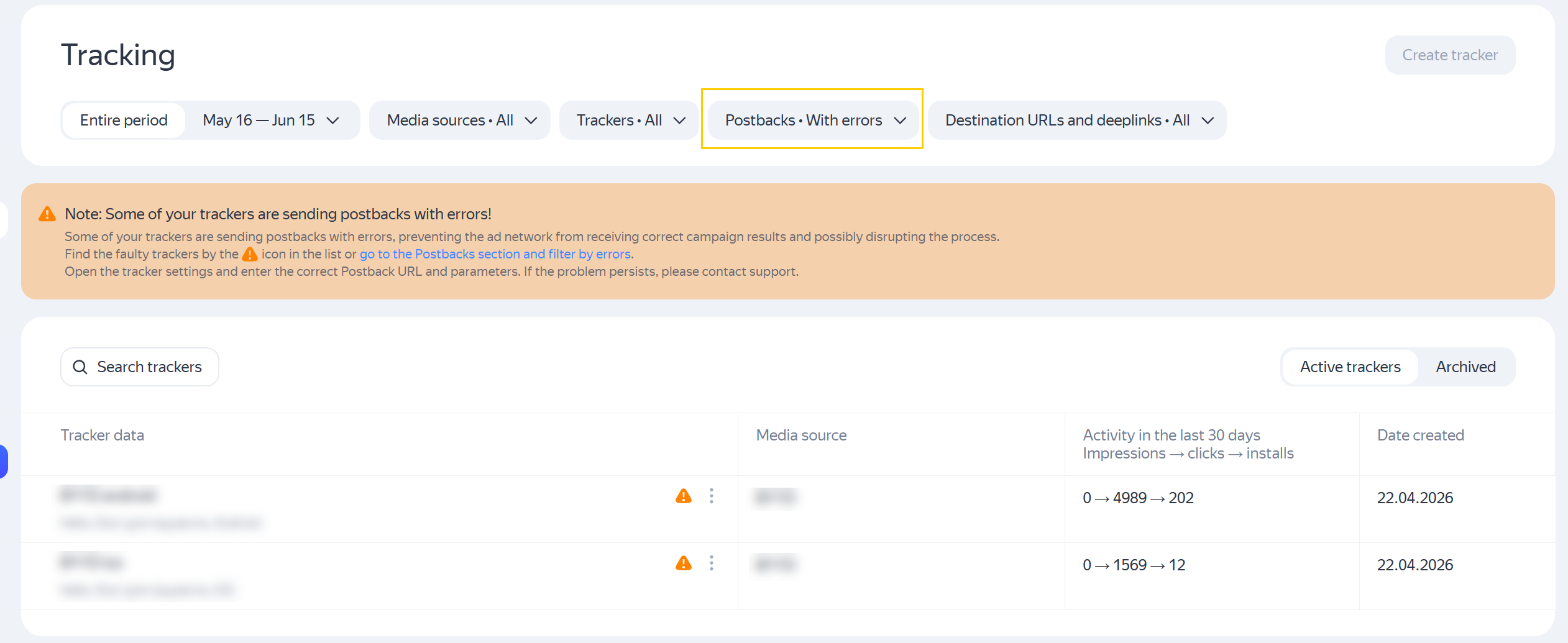
-
Click on the row — you will go to the tracker with an error mark.
In the tracker, look at the error codes that occur when sending postbacks, as well as an example of one of the most frequently encountered response bodies (response_body) for this tracker. This will help you quickly determine the most likely cause of the problem.
Tracker with postback configuration error
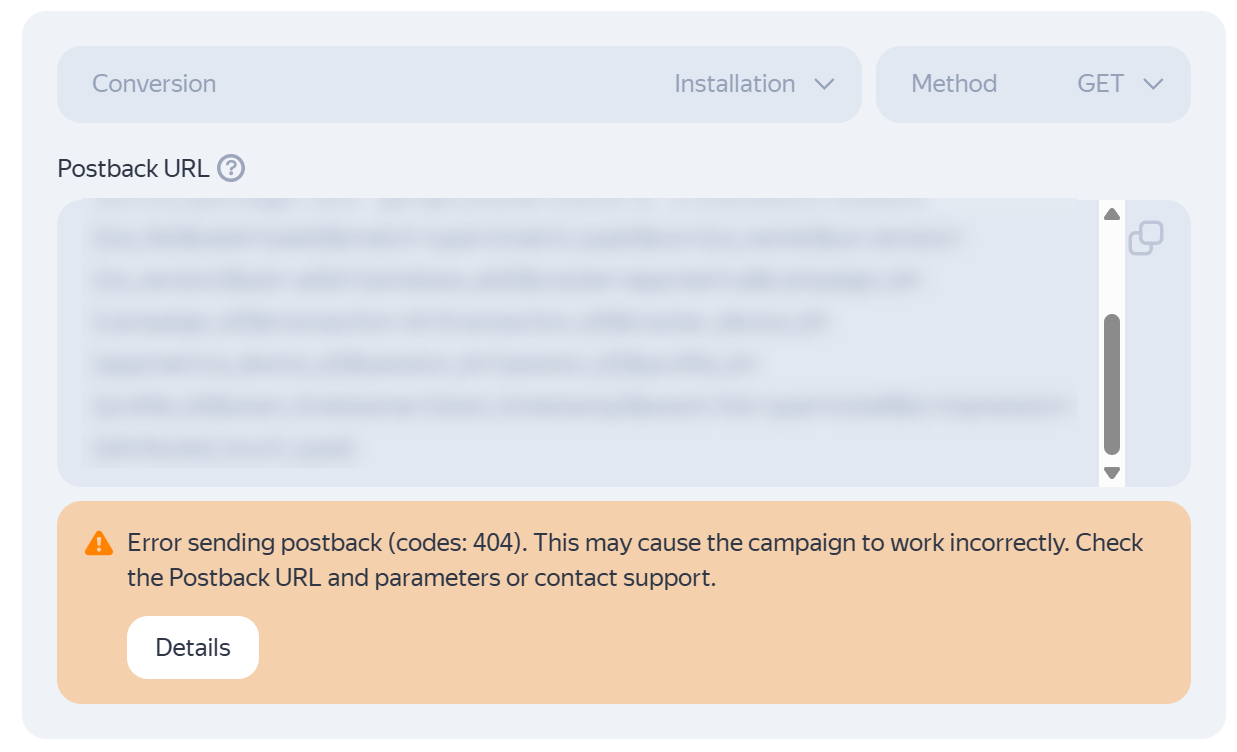
Example of response body:
{"StoreId":"","AppId":"","Message":"malformed clickId","Status":400,"EvType":0,"IsAttributed":1}
For example:
malformed clickId— may indicate that theclick_idparameter is missing or is passed in an incorrect format;timeoutor5xxerrors — may indicate temporary unavailability of the partner's server;400errors — may indicate incorrect filling of individual parameters.
At this stage, you can form a preliminary hypothesis about the cause of the error.
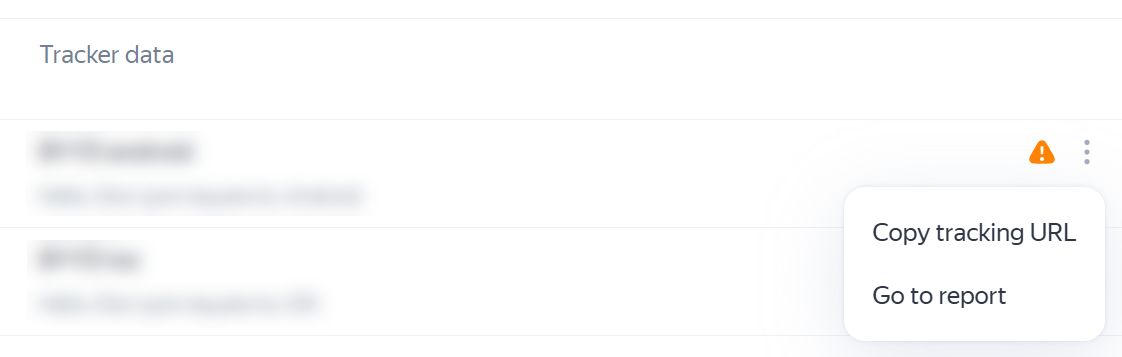
From the tracker list, you can also copy the tracking URL or go to the Conversions report.
Actions in tracker list
Checking the Full Picture via Postback Export
To confirm the hypothesis and perform a deeper diagnosis, go to the Export → Postbacks section.
Postback export allows you to:
- check if the same error occurs in all postbacks;
- understand if there are several different types of errors;
- determine if the problem is constant or occurs only in part of the requests.
Exporting Postbacks
To export sent postbacks:
- In the AppMetrica interface, click Data export → Save to file.
- Go to the Postbacks tab.
- In the list of fields for export, check:
response_coderesponse_body- if necessary —
postback_url,postback_url_parameters
- In the filters, specify the tracker number or name.
- Download the export file.
Exporting postbacks
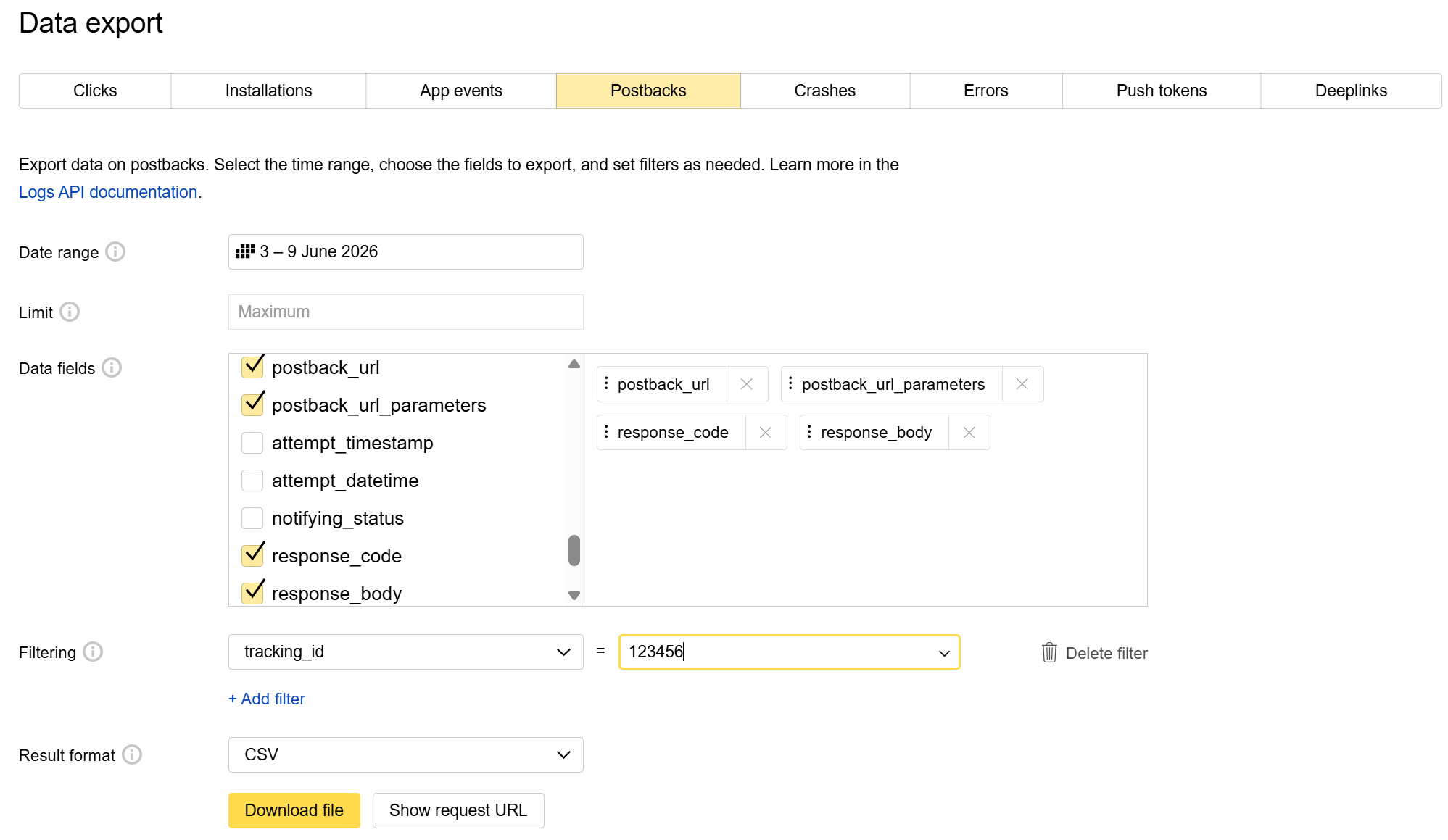
Analyze the response_code and response_body fields together with the request parameters.
You can also export postback sending logs using the API.
Analyzing Exported Postbacks
When analyzing postbacks with errors, check:
- the
postback_urlfield; - the passed parameters;
- the presence of required values.
For example, with a malformed clickId error, you can additionally check:
- whether the
click_idparameter is passed; - whether its value is filled;
- whether the format meets the partner's requirements.
Resolving Errors
4xx — Request Error
An error with code 4xx means that the partner's server received the request but rejected it.
Common causes of the error:
- missing required parameter;
- incorrect parameter value passed;
- incorrect data format;
- unsupported HTTP method used.
What you can do:
- If
response_bodyindicates a specific problem (e.g., missing parameter) — fix the postback settings. - If the cause is not obvious — contact support AppMetrica, attaching an example of the request and response.
5xx — Partner-Side Error
An error with code 5xx means that the request was formed correctly, but the partner's server could not process it.
Possible causes of the error:
- temporary technical problems;
- server overload;
- internal error in the partner's system.
What you can do:
- Check if the error occurs massively and for a long time.
- Contact the partner with examples of errors, specifying
response_code,response_bodyand the time of postback sending.
Timeouts and Network Errors
Network errors and timeouts occur if the partner's server did not respond within the established time or the connection was not established.
Possible causes of the error:
- technical problems with the partner;
- IP address blocking;
- unstable network operation.
What you can do:
- Check the frequency of the error.
- Clarify with the partner the presence of restrictions or technical problems.
- If necessary, contact support AppMetrica.
Other Error Codes
Other error codes (1xxx, 6xxx, 9xx) relate to specific settings of the partner's server. To find out the cause of such responses to postbacks, contact the partner or AppMetrica support for clarification.
What to Do Next
After analysis, you can preliminarily determine the possible cause of the problem by comparing the error code and response body with the partner's documentation.
If the cause looks clear:
- you can adjust the tracker parameters;
- update the postback URL;
- check parameter passing in the deeplink.
If the cause remains unclear:
- it is worth contacting the advertising partner's support;
- or AppMetrica support, attaching error examples and
response_body.
If you didn't find the answer you were looking for, you can use the feedback form to submit your question. Please describe the problem in as much detail as possible. Attach a screenshot if possible.